
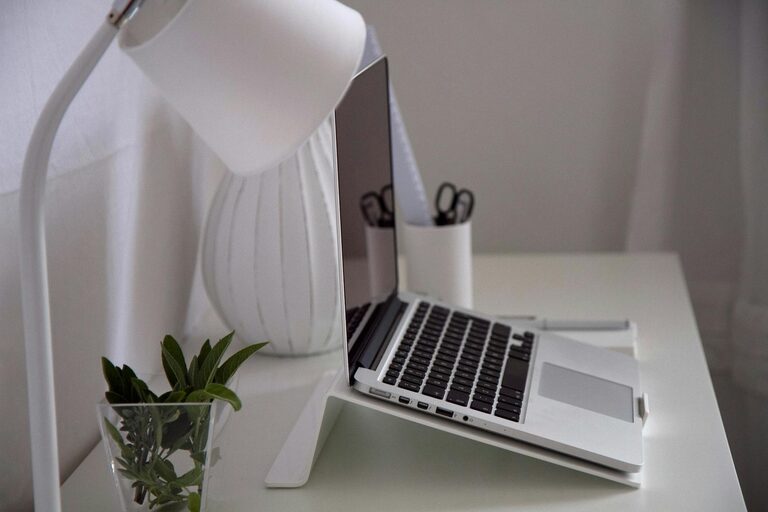
Creating a home office that is both organized and productive can significantly improve your work-from-home experience. Whether you’re a remote worker, freelancer, or running a business from your house, having a dedicated space designed for focus and comfort is essential. This guide offers practical tips to help you set up an efficient home office that encourages productivity while keeping clutter at bay.
Why an Organized Home Office Matters
A tidy and well-arranged workspace helps reduce distractions and stress. When everything has a place and your setup supports your work habits, it’s easier to stay on task. An organized office also saves time since you won’t spend precious minutes searching for important documents or tools.
Selecting the Right Location
The foundation of a productive home office starts with choosing the right spot in your home.
Consider Natural Light and Ventilation
A space with plenty of natural light can boost your mood and energy. Select a room or corner near a window if possible. Also, good airflow helps keep you alert and comfortable throughout your workday.
Minimize Noise and Interruptions
Look for an area away from high-traffic zones and noisy appliances. If noise is unavoidable, consider noise-canceling headphones or soundproofing options to create a quieter environment.
Choosing Functional and Comfortable Furniture
Your furniture plays a crucial role in your workspace’s comfort and efficiency.
Invest in an Ergonomic Chair and Desk
Choose a chair that supports your back and promotes good posture. A desk at the right height reduces strain on your wrists and shoulders. Adjustable desks that allow standing or sitting add flexibility and promote movement.
Keep Furniture Simple and Streamlined
Avoid bulky furniture that crowds your space. Compact desks with built-in storage can help keep your surface clear, making it easier to focus.
Organizing with Purpose
An organized space keeps your work running smoothly.
Use Storage Solutions
Shelves, filing cabinets, and drawer organizers help keep documents and supplies in order. Label storage areas clearly so you can find what you need quickly.
Declutter Regularly
Set a weekly or biweekly reminder to tidy your workspace. Clear off unnecessary items to maintain a clean environment that fosters concentration.
Manage Cables Neatly
Use cable clips, sleeves, or boxes to hide cords and chargers. This reduces mess and prevents tangling, making your desk look cleaner.
Optimize Your Workspace Layout
The arrangement of your tools and materials can impact your workflow.
Place Frequently Used Items Within Reach
Keep your phone, notepad, pens, and other essentials close by to minimize distractions caused by searching for things.
Position Your Monitor at Eye Level
Align your computer screen with your eyes to avoid neck strain and encourage better posture.
Create Zones for Different Tasks
If space allows, designate areas for different activities such as computer work, brainstorming, or filing paperwork. This separation can help you switch between tasks more efficiently.
Enhance Productivity with Good Lighting and Temperature
Use Task Lighting
Complement natural light with adjustable desk lamps to reduce eye strain during darker hours or cloudy days.
Maintain Comfortable Room Temperature
Keep your workspace at a comfortable temperature to avoid distractions caused by being too hot or cold. A small fan or heater can help regulate the climate.
Personalize Your Space Thoughtfully
Adding personality without clutter can make your office inviting.
Add Plants
Indoor plants improve air quality and add a touch of calmness. Choose low-maintenance plants like succulents or spider plants that thrive indoors.
Display Motivating Artwork or Quotes
Incorporate images or words that inspire you and keep you motivated throughout your workday.
Establish Daily Routines and Boundaries
An organized space alone can’t guarantee productivity. Combine it with routines and limits.
Set Working Hours
Define clear start and end times for your workday to maintain balance.
Take Regular Breaks
Schedule short breaks to stretch and rest your eyes, which helps sustain focus.
Avoid Work-Life Overlap
Keep your home office separate from relaxation areas to help mentally switch between work and personal time.
Use Technology and Apps to Stay Organized
Digital Filing Systems
Scan and store important documents digitally to reduce physical clutter.
Productivity Apps
Tools like task managers, calendar apps, and note-taking software can help you stay organized and on track.
—-
By thoughtfully creating and maintaining an organized home office space, you can improve your productivity, reduce stress, and make working from home more enjoyable. Remember, the best workspace is one tailored to your personal needs and work style, so don’t be afraid to experiment and adjust your setup as you go.